Improving Vudio's onboarding and activation stage

Redesigning how new clients learn Vudio, so they could learn to use the platform on their own.

Product
Vudio, AI marketing assets
Type
B2B SaaS web app
Focus
Onboarding and activation
Scope
Flows and UI

Project Brief & Constraints

A new kind of product, and onboarding calls piling up

Vudio was new, so clients had nothing to lean on. Setting up an account wasn't enough. People had to learn the tool too, and that job fell on Customer Success calls.

The brief

Onboarding that teaches the product, so clients can learn it on their own, and keeps working as new features ship.

What we were up against

  1. 01No habits to lean on

    Most clients had never used a tool like Vudio.

  2. 02More features coming

    Whatever onboarding taught had to hold as the product grew.

  3. 03Manuals didn't stick

    People read the docs, then still asked for a repeat demo call.

  4. 04Support kept growing

    Every new client added onboarding and re-training hours.

Vudio had to teach all modules with many complex steps.
Denim blazer$129 · mirastudio.com
✦ AI
ReelPostCarousel
Create with AIA product link, or a photo and a description. Vudio makes the marketing assets.
November
Tue · 10:30
Schedule and postPick the accounts and a time. Vudio posts to every connected platform.
@sara · commentPrice? 😍Which size do you need?SMLXLHere's your blazer in M 👉
DM automationSomeone comments. Vudio replies in their DMs, asks size or colour, then sends the exact link.
Orders today$516
Denim blazer · Mvia Instagram DMPaid
Denim blazer · Svia FacebookPaid
Denim blazer · Lvia Instagram DMPaid
Denim blazer · Mvia TikTokPaid
Collect ordersBuyers check out from the DM. Every order lands in the store's portal.

Problem Discovery & Research

The same walkthrough, three or four times

Most of what I learned came from the Customer Success team, not formal interviews. The calls and tickets repeated the same moments, so I treated them as research.

What the calls and tickets kept showing

  1. 01"Can you walk me through it again?"

    Some clients asked 3-4 times.

  2. 02Read, then call

    People read the docs but didn't trust them until they saw it done.

Some clients asked for the same walkthrough three or four times.
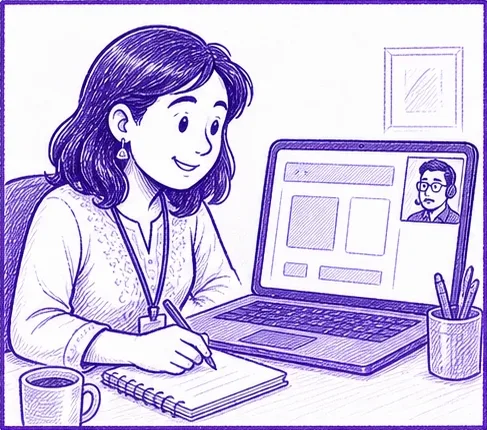
A new client on an onboarding video call, taking notes
1Onboarding call with Customer Success. The client takes notes.
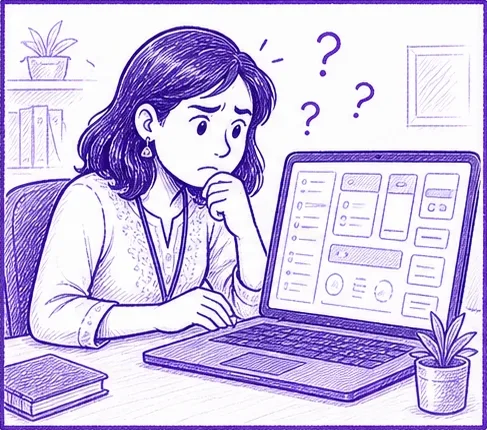
Alone at the dashboard the next day, she looks confused
2Alone with the dashboard the next day. Unsure where to start.
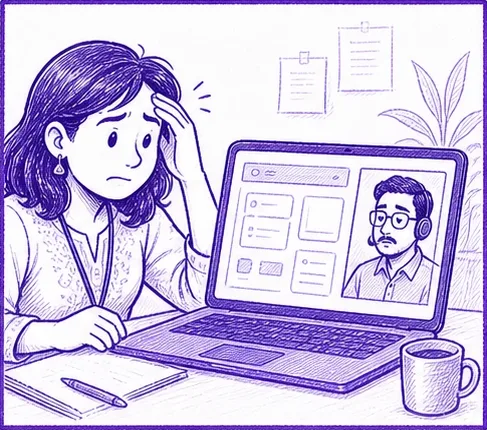
Back on a call with Customer Success, stressed
3Back on a call: "Can you walk me through it again?"
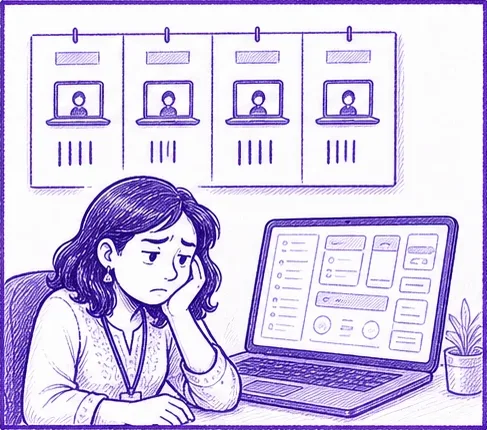
Docs and recorded videos on the wall, she still looks unsure
4Docs and recordings read, but not trusted until shown.
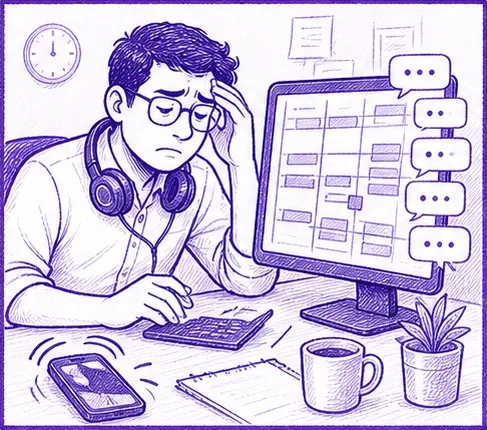
A Customer Success rep with a full calendar and messages piling up
5Customer Success: a full calendar, and the same walkthrough again and again.
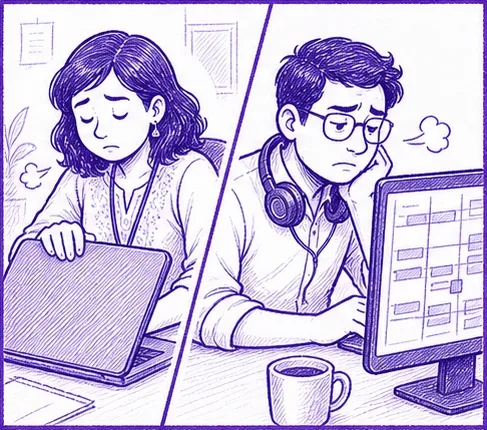
Both of them worn out at their desks
6Both worn out. Another repeat demo booked.

Defining the target user

Employees of FMCG companies,
small business owners (without tech fluency)

The client wants to get going on their own. Customer Success feels the problem every week. Business teams had already sat through demos and still didn't feel confident. All three shaped the design.

  1. 01The new client

    Runs an online store and is new to tools like this.

  2. 02Customer Success

    Onboarding ate their week, and repeat sessions were common.

  3. 03Business teams

    Took the demo calls, but still weren't confident using the software.

Activation, defined

  1. 1Seen what Vudio does
  2. 2Connected a social account
  3. 3Made the first asset
  4. 4Able to repeat the process without any demo requests

Every screen in the first visit pushes toward these four.

Ideation & Concept Development: Solution

Learn it by using it

New clients had to learn a brand-new product, and a call was how they did it. That doesn't scale, and it doesn't stick.

How might we

How might we help new clients learn Vudio by using it, so they can get to their first asset on their own, in a way that keeps working as features ship?

We got to three principles

  1. 01Learn by doing

    Each step ends with something real, like a connected account or a finished reel.

  2. 02Finish what you started

    Steps are numbered, timed and tracked, and the open set stays in view.

  3. 03Help at the moment of doubt

    The guide sits next to the control, not in a manual, and tells you what to do at each step.

Solution cont.

A path, not a page of tools

Introduced what Vudio does in a summarised form as a walkthrough (shorter and tight for easy understanding).
Put guides and coaches for better onboarding, with action happening as they progress and as they complete actions.

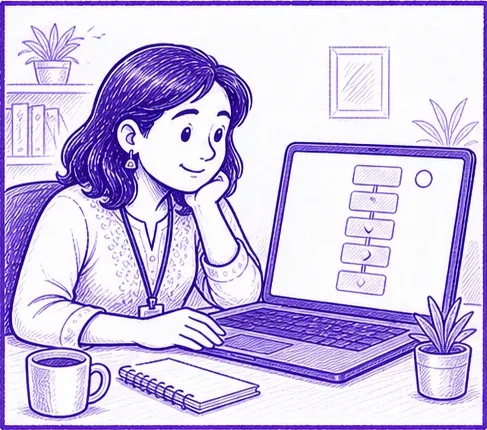
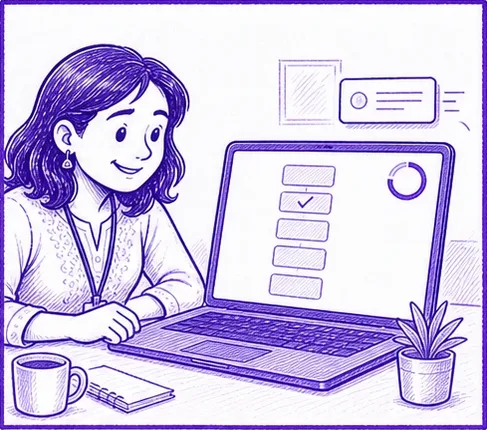
She opens Vudio to a short list of steps
1Five steps in order, each with its time.
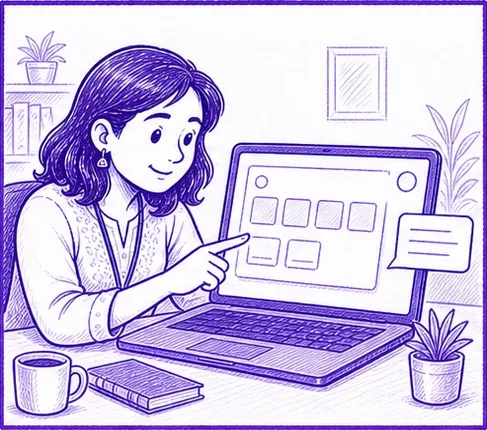
She points at the screen while a small guide appears beside it
2A short guide sits beside the control.
A step ticked off, a progress ring filling and a toast
3Each step ends in something real.
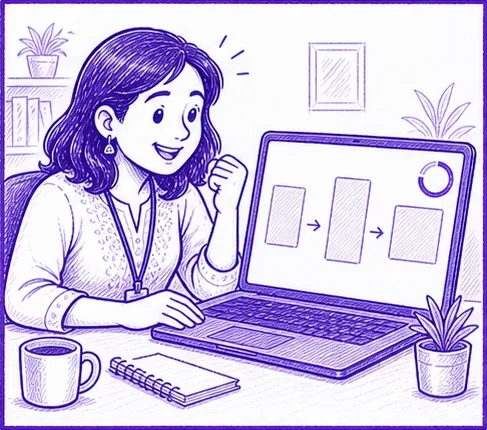
She cheers as her product turns into an asset
4Product in, asset out.
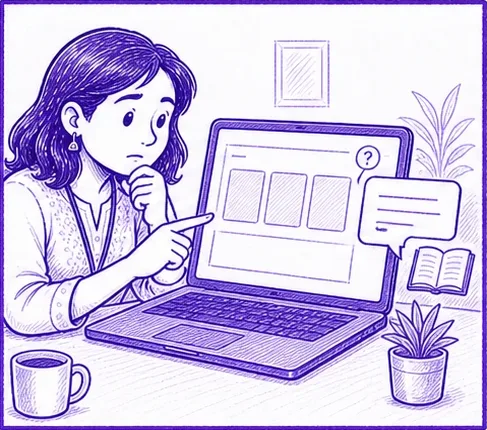
Unsure at a choice, she reads the guide bubble
5Stuck on a choice? The guide answers in two sentences.
She carries on alone while the Customer Success rep relaxes with a coffee
6The client carries on alone. Customer Success gets time back.
  1. 01One path, five steps

    Each timed 2-4 min, so starting feels cheap.

  2. 02Outcomes, not features

    "Turn comments into sales," not "DM automation".

  3. 03Same cards twice

    First-visit cards are the activated-home cards, so nothing looks new.

  4. 04A guide that always helps

    It stays beside you while you create each asset.

How users get informed (IA)

One home that grows with the client

The same page, in two states. Setup is the whole page at first. After the first asset, it gets out of the way.

  1. 01First visit

    The five steps are the page, with one primary action, and plans stay in the top bar.

  2. 02After activation

    Setup folds into a pill, with Next up first, Your creations below and plans last.

  3. 03First asset

    A full-screen flow, because that's the moment a client becomes active.

  4. 04The guide

    A thin layer across all of it, beside whatever it explains.

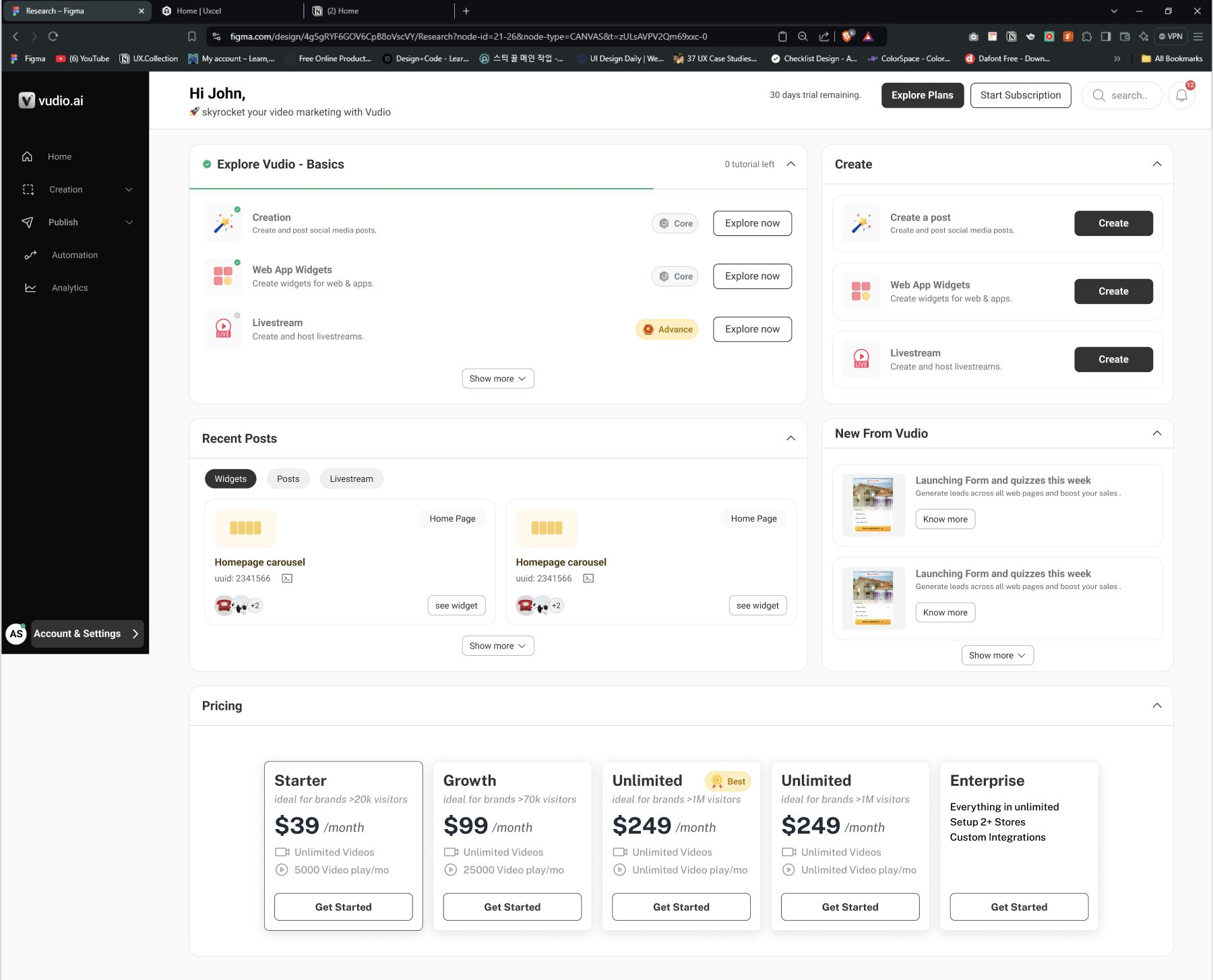
Dashboard · first visit

123456
  1. 1
    Top bar: plans and trial stay here, out of the way
  2. 2
    One primary action: "Start with a guide". "See how it works" opens the docs
  3. 3
    0/5 ring: keeps the set in view
  4. 4
    Five steps, in order: tour first, then the tools
  5. 5
    Time on every card: 2-4 minutes, to lower the cost of starting
  6. 6
    Outcome names: "Turn comments into sales", not "DM automation"

Dashboard · after the first asset

123456
  1. 1
    Setup pill: the setup panel folds into a small button
  2. 2
    Next up: scheduling, comment-to-DM and the size-or-colour question, in order, each with a guide
  3. 3
    Their own asset: the first next-step card already holds it
  4. 4
    Your creations: split into Social media and Website
  5. 5
    Filters and status: filter by format, with a status on every asset
  6. 6
    Plans: last on the page

Hi-Fi designs

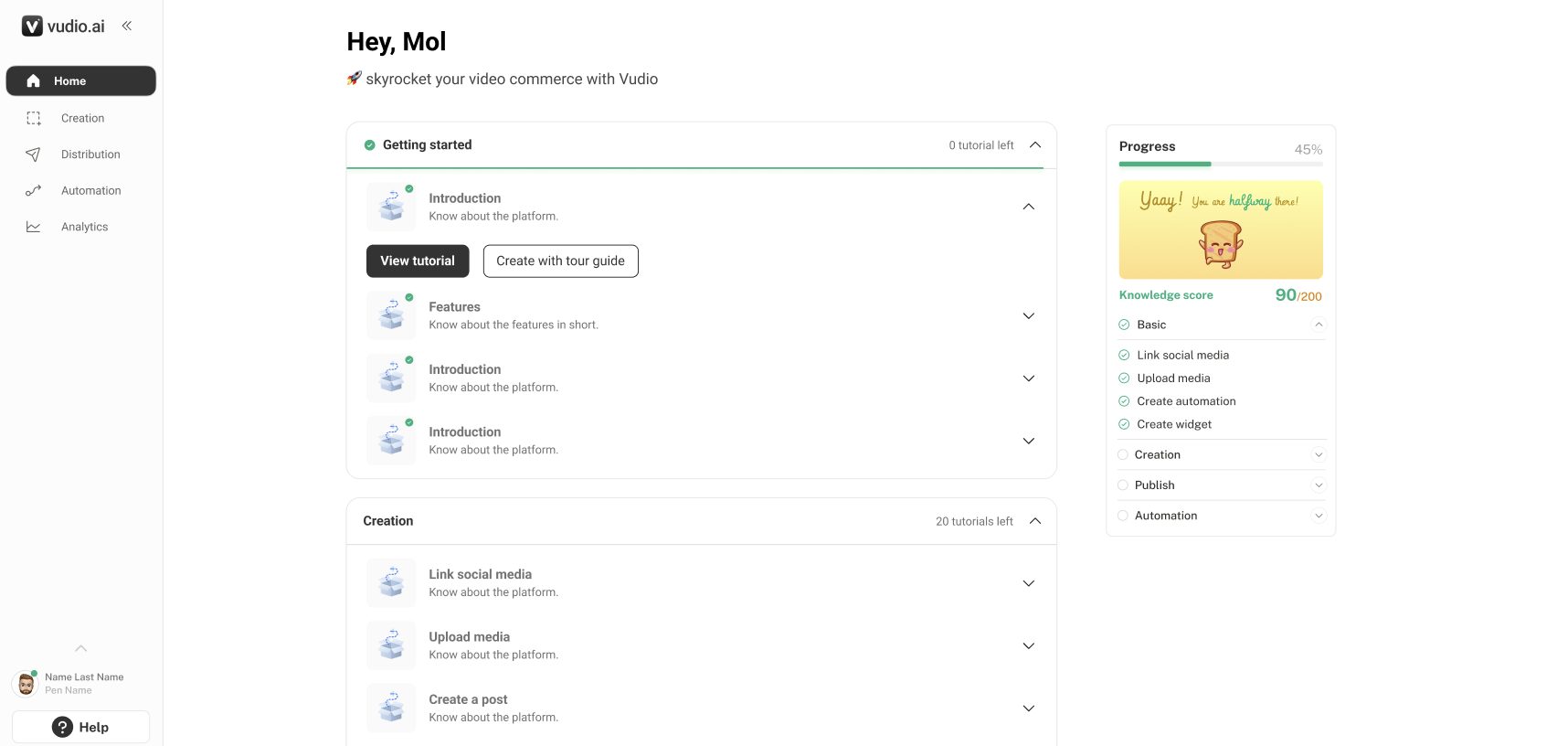
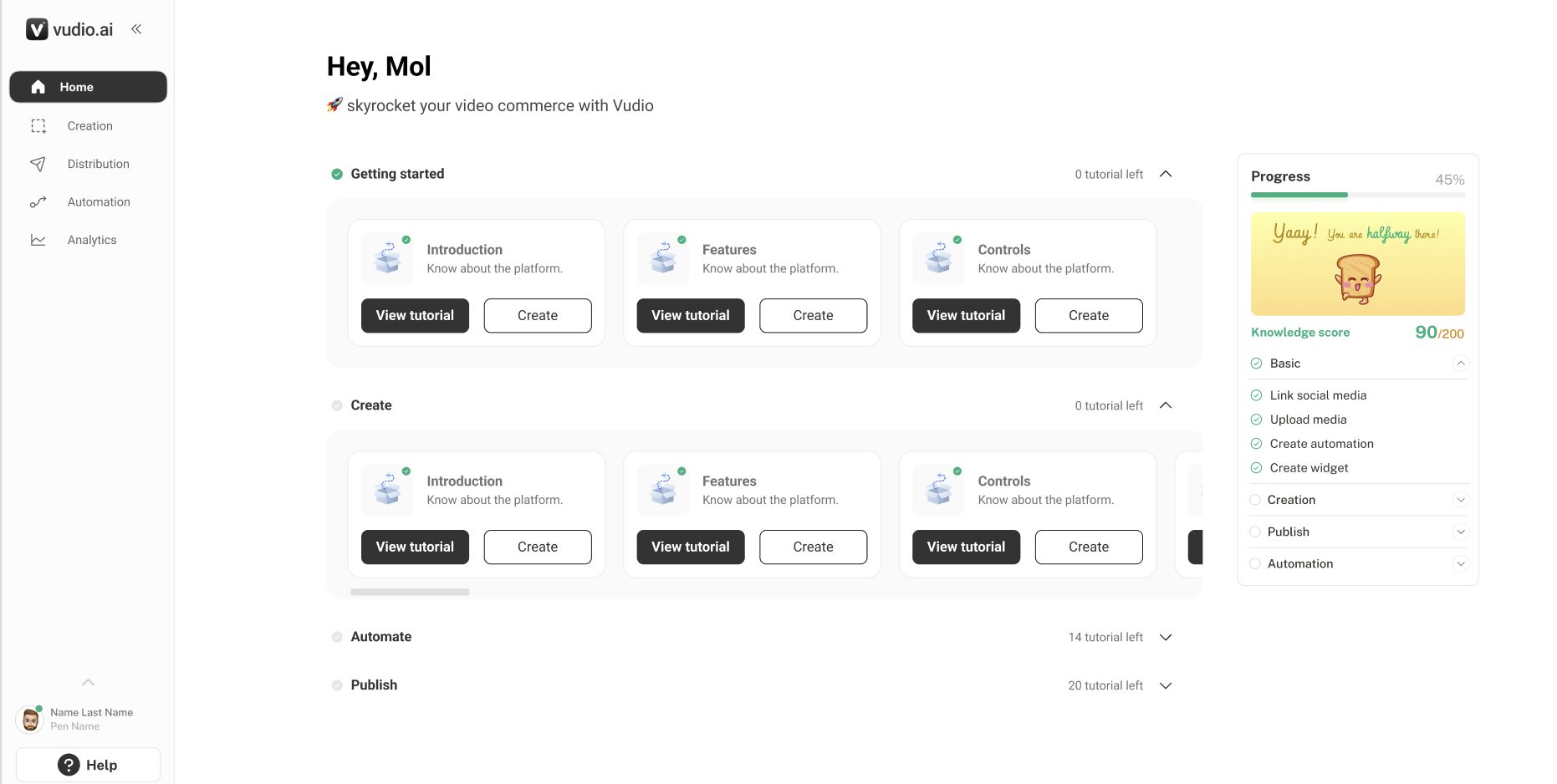
Final screens

Want to see how it got here? 15 earlier versions · wireframes and iterations

8.0What Vudio does

Three slides, two stages each, the next one peeking in.

123
Make
  1. 1Promise above every slide: one product in, orders out
  2. 2Denim blazer carries through every stage
  3. 3Skip intro stays available
PublishGet assets, then schedule and post.
SellReply in DMs, then receive orders. Hands off to connecting socials.

Earlier version

v1 · all six stages in one rowToo much to read.

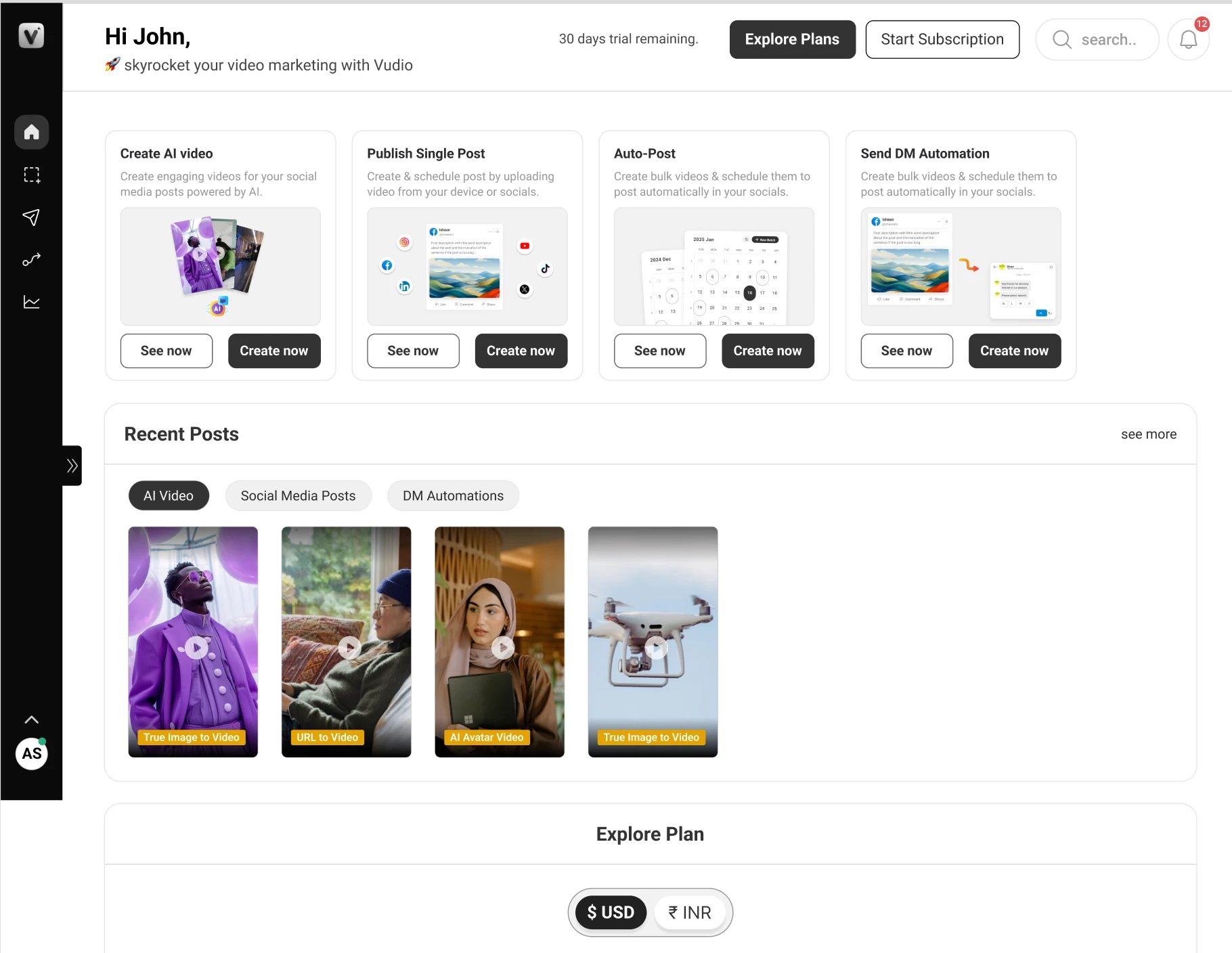
8.1Dashboard

One path first. Then, once they've made something, room for what's next.

123
First visit
  1. 1Start with a guide is the main button
  2. 20/5 ring
  3. 3Time on every card
45
After first asset
  1. 4Setup folded into a pill
  2. 5First next step holds their own asset
After complete onboardingSetup is done. The Get guide pill stays, and four cards show what to make next.

Earlier versions

Tutorial checklist next to a create list
Tutorial checklistWhy it didn't ship: to add.
Getting started list with a progress panel
Getting started listWhy it didn't ship: to add.
Tutorial cards per area
Tutorial cards per areaShipped for returning users. Too many entry points for a first visit.
Tool cards with recent posts and plans
Tool cardsWhy it didn't ship: to add.
Redesign A · one step openWhy it didn't ship: to add.
Redesign B · all steps as cardsWhy it didn't ship: to add.
Redesign C · steps left, detail rightWhy it didn't ship: to add.
Redesign D · current step as heroWhy it didn't ship: to add.
Activated v1 · full setup panelWhy it didn't ship: to add.

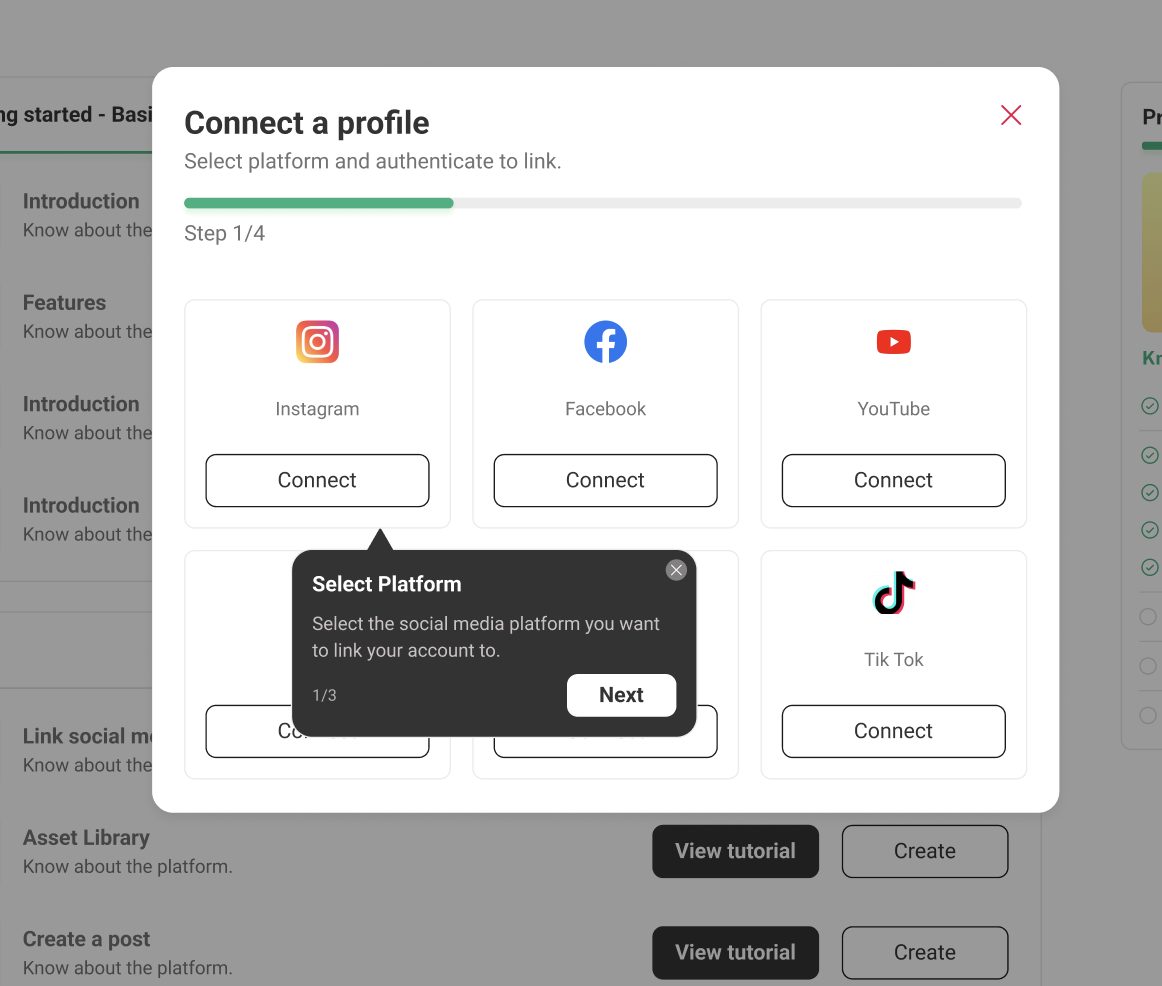
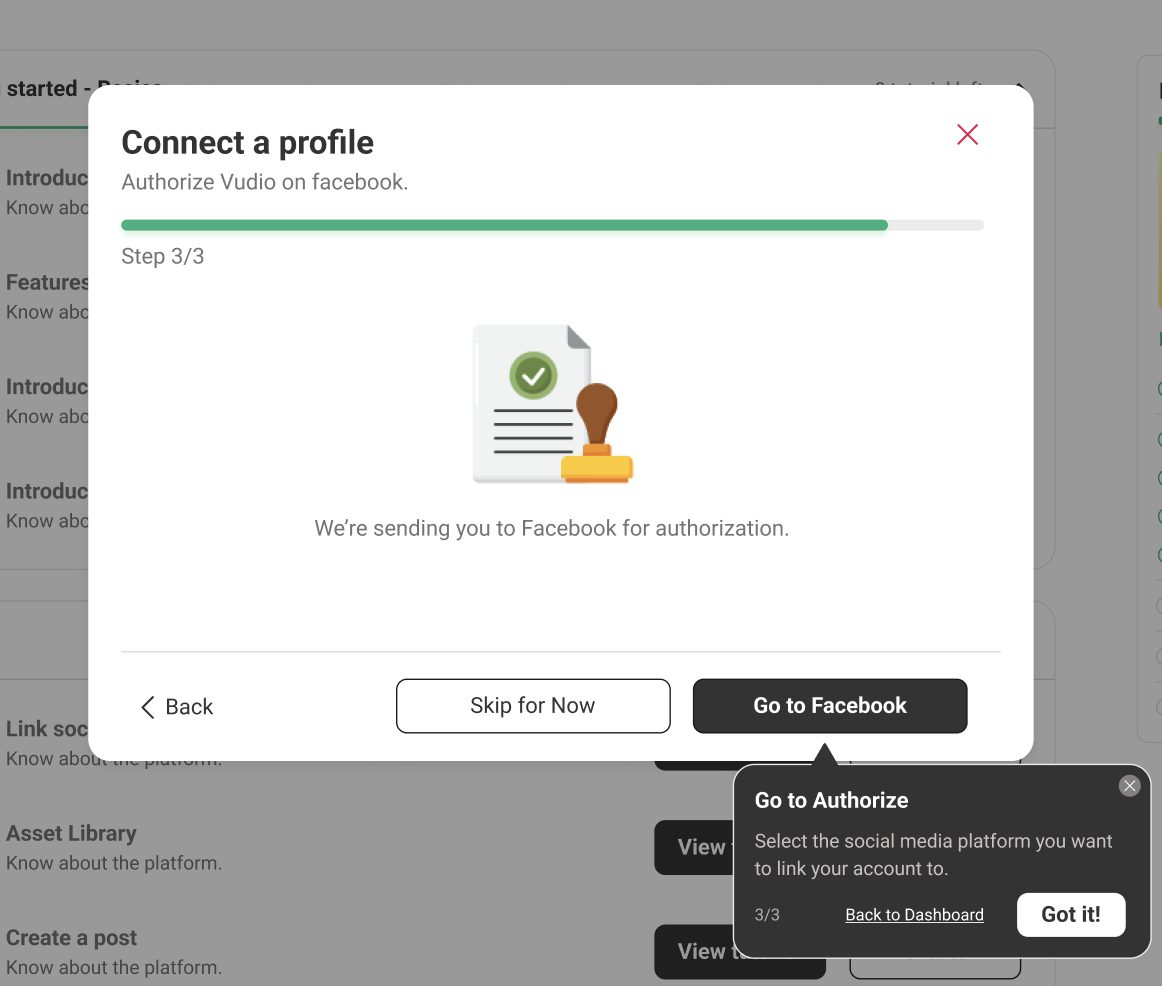
8.2Connect socials

One dialog layout, with the guide beside it.

1
Where do you sell?
  1. 1"Needed for DMs" on Instagram and Facebook
2
Who's posting?
  1. 2Business or personal, asked before sign-in
3
Allow Vudio on Instagram
  1. 3Permissions in plain words, including what Vudio never does
4
Connected
  1. 4Next step with its time

Earlier versions

Platform picker with a guide tooltip and step bar
Platform pickerWhy it didn't ship: to add.
Hand-off to Facebook to authorize
Hand-off to FacebookWhy it didn't ship: to add.
Redesign v1 · multi-selectWeak hierarchy.
Separate dialogsWhy it didn't ship: to add.

8.3First asset

Full screen, four short steps.

1
Start with your product
  1. 1Link first, or upload, one way at a time
Pick templates
  1. 2Product prompts and templates, written for your product
23
Where will it go?
  1. 2Formats as small mockups in real shapes
  2. 3Live count of what will be made
4
Pick a size
  1. 4Best size preselected
5
Creating your assets
  1. 5Assets appear as they finish

Earlier version

v1 · product and templates on one screenToo much at once.

8.4Tour guide

Tour guides and coaches come up every time, so users are guided at each step and never feel they can't do anything without a demo.

1

Guided by tour guides and coaches.

2

Guided by tour guides and coaches.

33

Guided by tour guides and coaches.

Outcomes & Reflections

No repeat onboarding sessions

Vudio is B2B, so impact showed up through Customer Success.

  1. 0

    clients needing a second onboarding. Before, some needed it 3-4 times.

  2. Down significantly

    tickets about onboarding and re-training.

  3. Easier for CS

    time back for accounts that need them.

What I learned

In B2B, the person using the product didn't choose it

I learnt that a product decision doesn't only help the user. It can also help the teams around them and the business. In B2B, the people using Vudio never signed up for it themselves. Their company chose it, and they're expected to use it anyway. So the least we owe them is a product that's easy to pick up.

  1. Design for the person who didn't choose the product

    Nobody on the client's team picked Vudio, but they still had to learn it. Making that easy was the job.

  2. One decision can help more than one team

    Fixing onboarding for clients also gave Customer Success their week back, and fewer repeat sessions meant less re-training for everyone.

  3. Good for users, good for the business

    When clients can learn on their own, Customer Success spends its time on the accounts that need it.

  4. Teach inside the task

    A guide next to the button beat any manual, and the questions from support tickets became the guide copy.

  5. Teach step by step, not all at once

    A tour guide that introduces the product one step at a time worked better than a single big walkthrough, and it helped clients, Customer Success and the business.